
Client
Internal product
Case study
QAGogh is designed around the moment feedback changes hands: a report is useful when the person fixing the issue can see what happened, where it happened, and what decision should happen next.
Client
Internal product
Role
Product architecture, QA workflow design, AI-assisted support
Year
2026
Summary
Built a multi-workspace QA feedback product that combines embedded visual capture, screenshots, bug boards, team workflows, and assisted support.
QA feedback often arrives after the useful context has evaporated. Someone says that a page is broken, a button feels wrong, or a flow fails on mobile, but the handoff leaves out the viewport, screenshot, route, or precise state that would let another person reproduce it. QAGogh treats that missing context as a product problem rather than asking teams to write better bug reports forever.
The system needed to work across multiple workspaces and projects. It also needed to serve different roles: a person reporting a problem, a teammate triaging it, a developer resolving it, and an owner managing members and project settings. AI assistance could help with the noisy parts, but it could not replace the underlying evidence or the team’s decision-making.
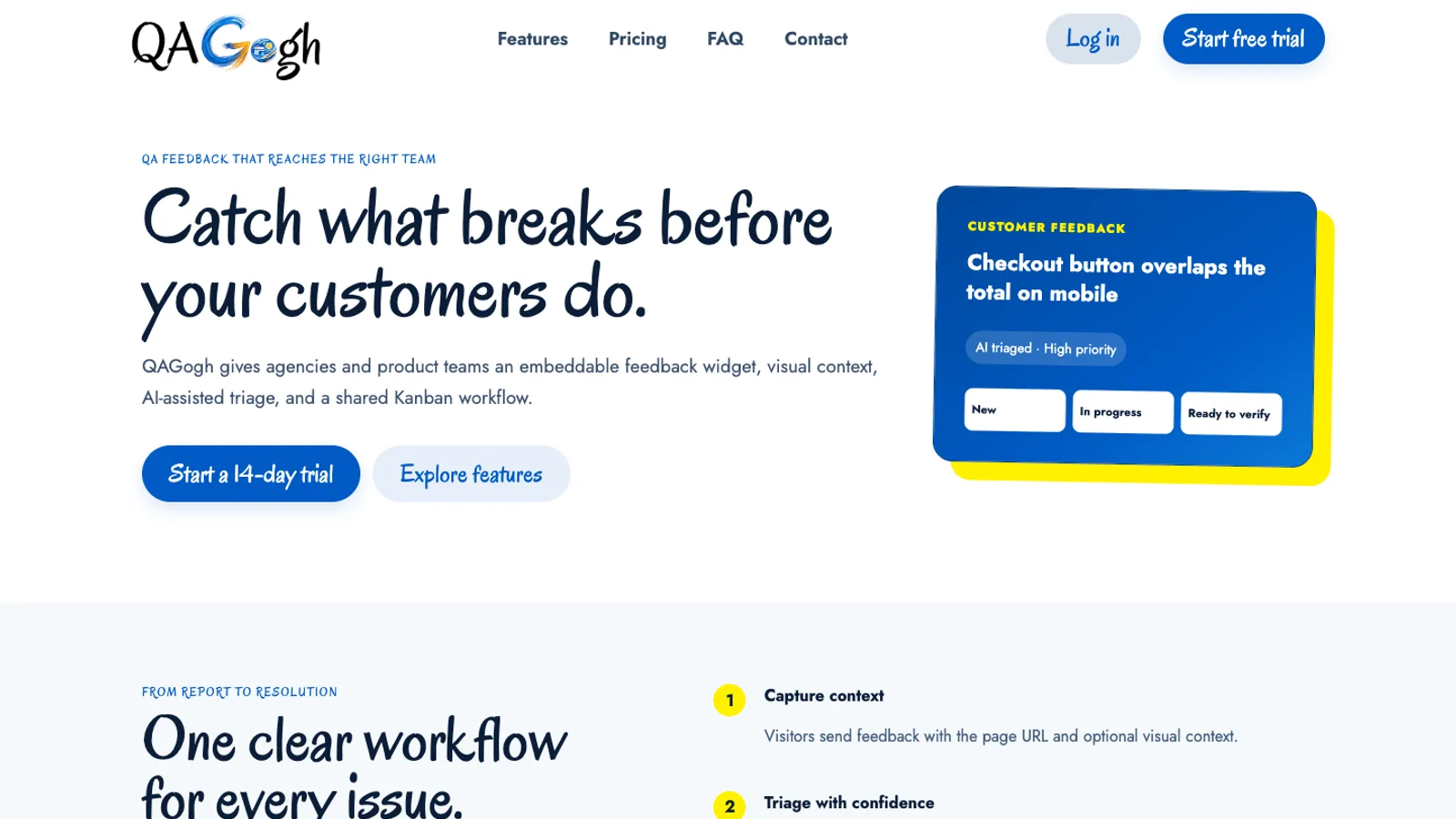
The product story starts with visual context, not a bare issue title or an unstructured inbox.
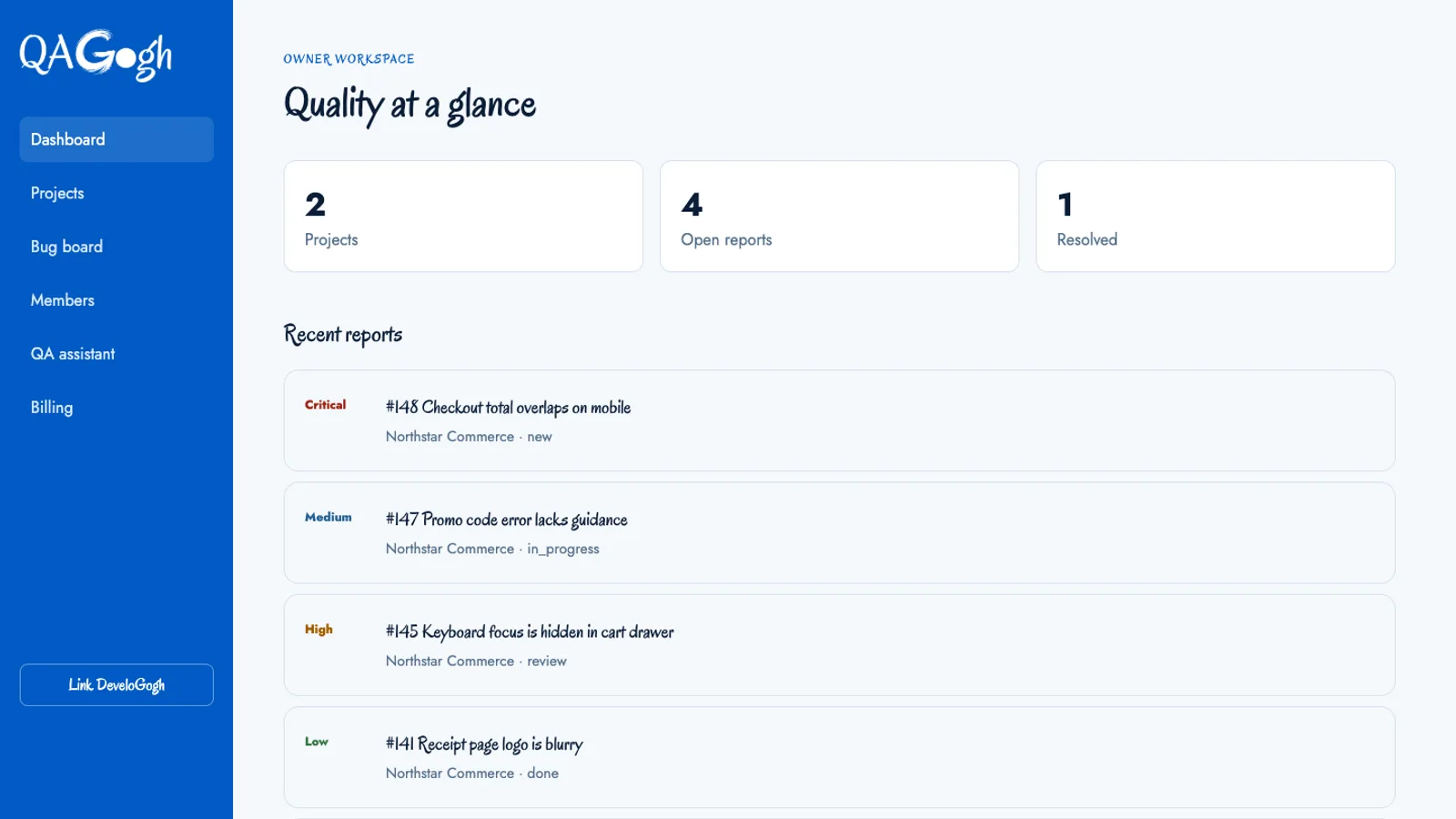
The dashboard gives a team a shared place to see projects and the current QA surface.
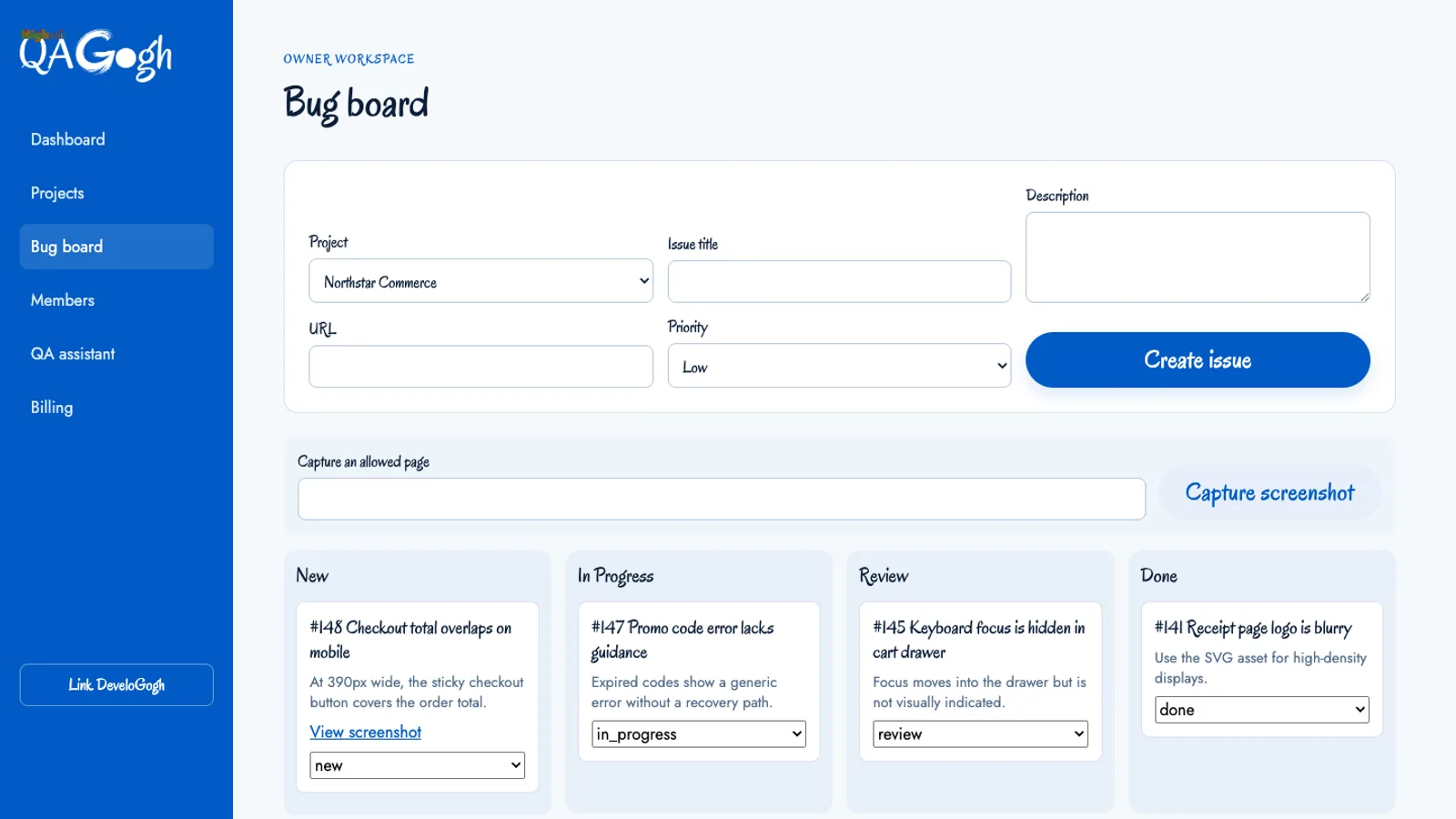
The bug board turns captured feedback into a visible workflow that can be triaged, assigned, and resolved.
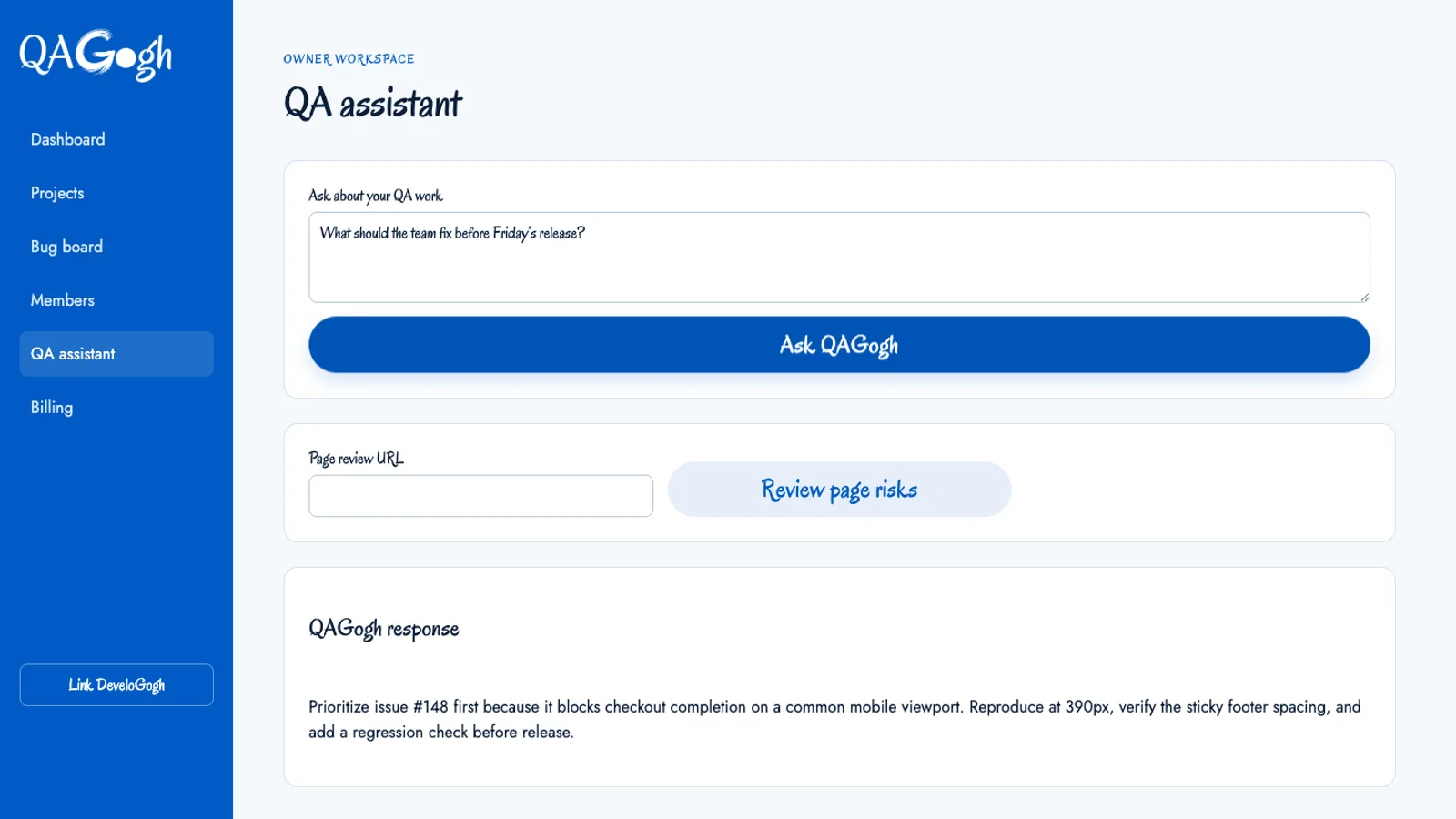
The assistant helps a team make sense of captured issues while the original project evidence stays available.
QAGogh includes an embeddable feedback widget that can be placed on a customer-facing site. The widget is deliberately close to the work: a person can report a problem in the page context rather than switching to a separate ticketing tool and trying to describe what they saw from memory. Screenshots and the surrounding capture data give the receiving team a stronger starting point.
That context changes the quality of the handoff. A screenshot can reveal a clipped heading, an unexpected overlap, or a responsive breakpoint that a paragraph would miss. A route and project association make the issue searchable. The goal is not to collect more screenshots for their own sake; it is to reduce the number of questions required before someone can take a confident next step.
The application organizes feedback around workspaces and projects rather than one global queue. A team can create a project, configure its capture surface, inspect its bugs, and manage its members without mixing unrelated client or product work. Project-level boundaries also make export and handoff clearer: a project can represent a coherent QA stream with its own issues and settings.
The bug board turns those captures into a shared workflow. Triage is visible, ownership can be assigned, and status changes become part of the work instead of a private spreadsheet convention. Members and settings live alongside the board because team workflow depends on both the issue model and the people allowed to move it.
The project export schema is also intentional. A structured project export gives a team a way to move or inspect its QA data without reducing it to a screenshot of the board. It is another example of the product treating operational continuity as part of the user experience.
QAGogh includes AI-assisted review and support actions for the work that tends to slow QA teams down: organizing an issue, suggesting a likely triage direction, or helping someone interpret the captured context. The AI sits behind the project and bug workflow. It does not get to redefine what was captured, silently close an issue, or turn an uncertain guess into an authoritative status.
That distinction is important in QA. A fluent suggestion can still be wrong, while a screenshot, route, and reproduction detail are inspectable evidence. The product keeps the evidence visible and makes the assistance a step in the workflow. Teams can use it to move faster without losing the trail that explains why a bug was prioritized or resolved.
QAGogh makes feedback easier to receive and easier to act on. A widget captures the problem near its source. Workspaces keep teams and projects separated. Screenshots preserve visual evidence. The bug board makes ownership and progress visible. AI assistance helps with interpretation while the underlying workflow remains human-readable.
The result is a QA product shaped around repair rather than collection. The valuable output is not a larger pile of reports; it is a shorter path from “something is wrong here” to a team member who has enough context to fix it.
Related writing
If an AI feature can change a customer decision, an operator workflow, or a safety boundary, its evaluation plan is part of the product requirement.
Internal tools succeed when they reduce operator friction in real queue work, not just when they look polished in demos.
AI product quality depends on the full interface around the model: inputs, controls, evidence, state, review paths, and recovery behavior.
Relevant services
Applied AI that improves delivery, diagnostics, reporting, and internal tooling without turning the stack into a science experiment.
Custom app builds and integration work for teams that need systems to talk cleanly across HubSpot, internal tooling, and the rest of the stack.